Access the WebGrants System
- Go to the
WebGrants login page
- Click on the “Subgrantee Login-MyWisconsin ID Access to Single Sign On Tool” button.
- Enter your MyWisconsin ID User ID.
- Enter your MyWisconsin ID Password.
- Click on “Sign In”.
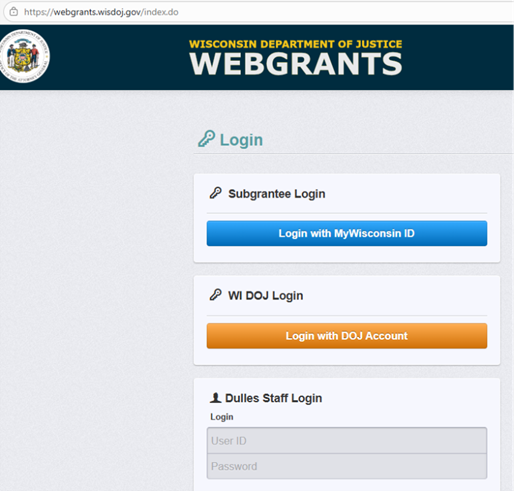
Note: Use the WebGrants Menu, not the Browser Menu. WebGrants is compatible with many different browsers; please feel free to use the browser of your choice. Read the instructions on the screen for navigating in the system.
Review an Application
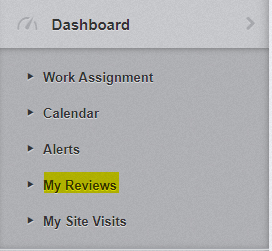
On the Main Menu, click on
“Dashboard”, then click on
“My Reviews”.
Under the “Applications to be Reviewed” is a list of any reviews assigned to you.
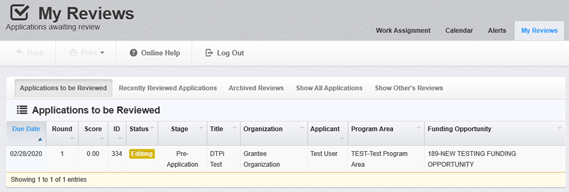
Click on the application to be reviewed.
Click on each form under “Review Forms for this Application” and enter the information requested under “Review Forms for this Application”.
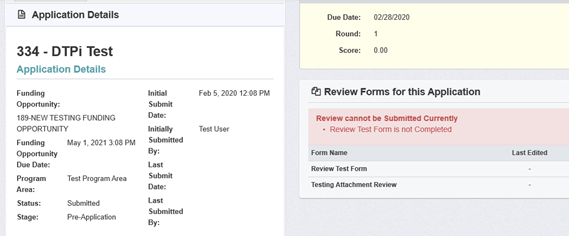
Once all the forms under “Review Forms for this Application” are completed and saved, the review is ready to be submitted.
Click on “Submit Review”.
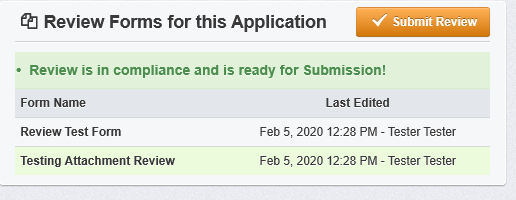
You will receive a message confirming you are ready to submit your review.
Click “Submit” to submit your review.